
إرشادات السداد للمدرسة الليبية دامايHow to pay Libyan Damai School
حوّلوا الرسوم من أي تطبيق بنكي ماليزي عبر رمز DuitNow، ثم أرسلوا الإيصال لمطابقته مع الفاتورة.Transfer fees from any Malaysian banking app with the DuitNow QR, then send the receipt so it can be matched to your invoice.
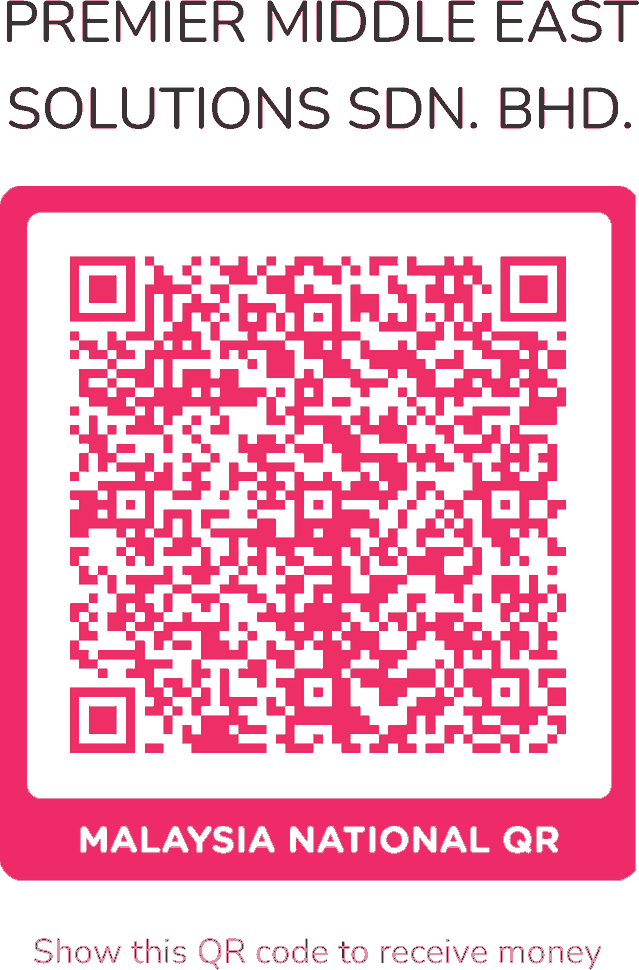 حفظ الرمز في الهاتفSave the QR to your phone
على الهاتف نفسه؟ احفظوا الرمز ثم اختاروه من الصور داخل تطبيق البنك.On the same phone? Save the QR, then pick it from your photos inside the banking app.
- امسحوا رمز QRScan the QR codeمن تطبيق البنك أو المحفظة الإلكترونية (مثل Maybank أو CIMB أو Touch 'n Go)، وأدخلوا المبلغ.From your banking app or e-wallet (e.g. Maybank, CIMB or Touch 'n Go), and enter the amount.
- احفظوا إيصال التحويلKeep the transfer receiptالتقطوا صورة الإيصال أو احفظوه من التطبيق بعد إتمام الدفع.Take a screenshot of the receipt or save it from the app after paying.
- أرسلوا الإيصال وبيانات الدفع عبر واتسابSend the receipt and payment details via WhatsAppإلى الرقم To +60 12-884 5307، مع اسم الطالب وصفه والغرض من الدفع، ورقم الفاتورة إن وُجد., with the student's name, grade, the purpose of payment and the invoice number if you have one.
بعد إرسال الإيصال تبقى الدفعة «بانتظار المطابقة» حتى يؤكد قسم المالية استلام المبلغ وربطه بفاتورة الطالب. صورة الإيصال وحدها ليست إثبات سداد نهائيًا. تأكدوا قبل التحويل أن اسم المستفيد هو الموضح أدناه.After you send the receipt, the payment stays “awaiting reconciliation” until the finance office confirms the amount and links it to the student's invoice. A receipt image on its own is not final proof of payment. Before transferring, check that the payee name matches the one shown below.
لمعرفة المبلغ المستحق أو لأي استفسار عن الرسوم، تواصلوا معنا قبل الدفع.To confirm the amount due or for any fee questions, contact us before paying. الرسوم الدراسيةTuition fees · اتصل بناContact us